cPanel, WHM Release Fixes for Three New Vulnerabilities — Patch Now

?Ravie Lakshmanan?May 09, 2026

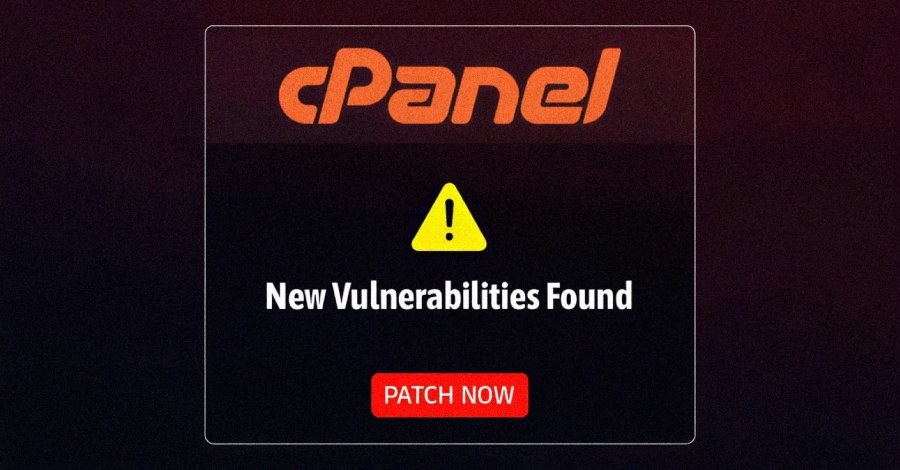
cPanel has released updates to address three vulnerabilities in cPanel and Web Host Manager (WHM) that could be exploited to achieve privilege escalation, code execution, and denial-of-service.

The list of vulnerabilities is as follows –

  • CVE-2026-29201 (CVSS score: 4.3) – An insufficient input validation of the feature file name in the “feature::LOADFEATUREFILE” adminbin call that could result in an arbitrary file read.
  • CVE-2026-29202 (CVSS score: 8.8) – An insufficient input validation of the “plugin” parameter in the “create_user API” call that could result in arbitrary Perl code execution on behalf of the already authenticated account’s system user.
  • CVE-2026-29203 (CVSS score: 8.8) – An unsafe symlink handling vulnerability that allows a user to modify access permissions of an arbitrary file using chmod, resulting in denial-of-service or possible privilege escalation.

The shortcomings have been patched in the following versions –

  • cPanel and WHM –
    • 11.136.0.9 and higher
    • 11.134.0.25 and higher
    • 11.132.0.31 and higher
    • 11.130.0.22 and higher
    • 11.126.0.58 and higher
    • 11.124.0.37 and higher
    • 11.118.0.66 and higher
    • 11.110.0.116 and higher
    • 11.110.0.117 and higher
    • 11.102.0.41 and higher
    • 11.94.0.30 and higher
    • 11.86.0.43 and higher
  • WP Squared –
    • 11.136.1.10 and higher

cPanel has released 110.0.114 as a direct update for customers who are still on CentOS 6 or CloudLinux 6. Users are advised to update to the latest versions for optimal protection.

While there is no evidence that the vulnerabilities have been exploited in the wild, the disclosure comes days after another critical flaw in the product (CVE-2026-41940) has been weaponised by threat actors as a zero-day to deliver Mirai botnet variants and a ransomware strain called Sorry. #livingsafeonline, #cPanel, #WHM, #SecurityPatch, #VulnerabilityFix, #CyberSecurity, #WebHosting, #ServerSecurity, #PatchNow, #ZeroDay, #ExploitProtection, #HostingSecurity, #DataProtection, #InfoSec, #TechUpdate, #SecurityAlert, #WebSecurity, #SystemAdmin, #ITSecurity, #UrgentPatch

read more

JSceal malware lets hackers steal data and over 10m baht, police warn

Thai police warn Windows users about JSceal malware that lets hackers control devices, steal OTPs and carry out financial transactions.

The Royal Thai Police’s Anti Cyber Scam Centre (ACSC) has warned the public about a serious cyber threat from JSceal malware, which can be embedded in computers, especially those running Windows, and used to steal passwords, cryptocurrency and one-time passwords (OTPs).

The warning was issued after investigators found that nearly 10 victims had been infected with the malware without their knowledge. Hackers allegedly stole data and carried out financial transactions, causing total losses of more than 10 million baht.

Investigators found that JSceal had been embedded in victims’ computers. The malware is designed to hide inside devices, run continuously and evade detection. It operates through a command-and-control (C2) server, allowing hackers to remotely manage infected devices, extract sensitive information and send the data back without leaving obvious traces.

The stolen information can include saved passwords, browsing histories and cryptocurrency wallet details. Police said the malware effectively gives hackers control of the victim’s screen, making it difficult for users to realise that their device has been compromised until damage has already been done.

The ACSC said JSceal malware had been linked to several likely sources, including:

  • downloading and installing unauthorised or pirated software;
  • visiting websites or clicking advertising links from unreliable sources;
  • using programmes copied from other devices, which may already contain hidden malware.

The centre urged the public to protect their computers by taking the following precautions:

  • avoid installing software from untrusted sources;
  • never disable antivirus software under any circumstances;
  • keep operating systems and software updated to the latest version;
  • regularly check app permissions and device access settings;
  • use Malwarebytes to scan for and remove threats.
JSceal malware lets hackers steal data and over 10m baht, police warn

Investigators also found that hackers had accessed OTPs sent through Google Messages on victims’ mobile phones that were synced with their computers. This allowed the hackers to use the OTPs to carry out financial transactions on the victims’ behalf.

Police therefore advised users to take one further protective step as a final safeguard for their money: preventing OTPs from reaching hackers by turning off message syncing to other devices.

JSceal malware lets hackers steal data and over 10m baht, police warn

For Android users, Google Messages syncing can be turned off as follows:

  • Open Google Messages.
  • Tap the profile icon in the top right corner.
  • Go to Messages settings.
  • Tap RCS chats.
  • Turn off RCS.

For iOS users, iCloud Backup can be turned off as follows:

  • Open Settings.
  • Tap Apple Account.
  • Go to iCloud.
  • Tap iCloud Backup and turn it off. #LivingSafeOnline, #Cybersecurity, #JSceal, #WindowsUsers, #CredentialTheft, #OTPStealing, #Malware, #CyberDefense, #CyberRisk, #OnlineSecurity, #CyberCrime, #NationalSecurity, #DigitalSafety, #CyberPolicy, #CyberPower
read more

Windows Phone Link Exploited by CloudZ RAT to Steal Credentials and OTPs

?Ravie Lakshmanan?May 06, 2026

Cybersecurity researchers have disclosed details of an intrusion that involved the use of a CloudZ remote access tool (RAT) and a previous undocumented plugin dubbed Pheno with the aim of facilitating credential theft.

“According to the functionalities of the CloudZ RAT and Pheno plugin, this was with the intention of stealing victims’ credentials and potentially one-time passwords (OTPs),” Cisco Talos researchers Alex Karkins and Chetan Raghuprasad said in a Tuesday analysis.

What makes the attack novel is that CloudZ uses the custom Pheno plugin to hijack the established PC-to-phone bridge by abusing the Microsoft Phone Link application, permitting the plugin to monitor for active Phone Link processes and potentially intercept sensitive mobile data like SMS and one-time passwords (OTPs) without the need for deploying malware on the phone.

The findings demonstrate how legitimate cross-device syncing features can expose unintended attack pathways to credential theft and help bypass two-factor authentication. What’s more, it obviates the need to compromise the mobile device itself.

The malware, per the cybersecurity company, has been put to use as part of an intrusion that’s been active since at least January 2026. The activity has not been attributed to any known threat actor or group.

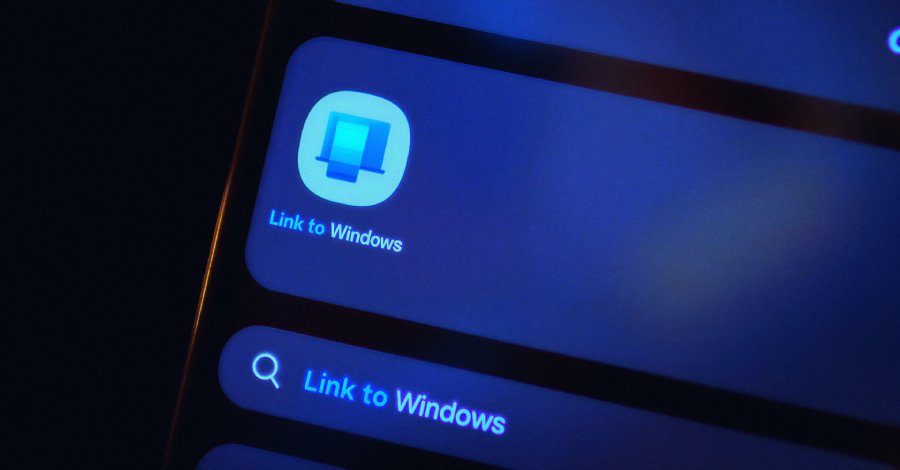
Built into Windows 10 and Windows 11, Phone Link offers a way for users to pair their computer with an Android device or iPhone over Wi-Fi and Bluetooth, allowing users to make or take phone calls, send messages, and dismiss notifications.

Unknown threat actors have been observed attempting to leverage the application using CloudZ RAT and Pheno to confirm Phone Link activity on a victim environment and then access the SQLite database file used by the program to store the synchronized phone data.

The attack chain is said to have employed an as-yet-undetermined initial access method to obtain a foothold and drop a fake ConnectWise ScreenConnect executable that’s responsible for downloading and running a .NET loader.  The initial dropper also makes use of an embedded PowerShell script to establish persistence by setting up a scheduled task that runs the malicious .NET loader.

The intermediate loader is designed to run hardware and environment checks to evade detection and deploy the modular CloudZ trojan on the machine. Once executed, the .NET-compiled trojan decrypts an embedded configuration, establishes an encrypted socket connection to the command-and-control (C2) server, and awaits Base64-encoded instructions that allow it to exfiltrate credentials and implant additional plugins.

Some of the commands supported by CloudZ include –

  • pong, to send heartbeat responses
  • PING!, to issue a heartbeat request
  • CLOSE, to terminate the trojan process
  • INFO, to collect system metadata
  • RunShell, to execute shell command
  • BrowserSearch, to exfiltrate web browser data
  • GetWidgetLog, to exfiltrate Phone Link recon logs and data
  • plugin, to load a plugin
  • savePlugin, to save a plugin to disk at the staging directory (“C:\ProgramData\Microsoft\whealth\”)
  • sendPlugin, to upload a plugin to C2 server
  • RemovePlugins, to remove all deployed plugin modules
  • Recovery, to enable recovery or reconnection
  • DW, to conduct download and file write operations
  • FM, to conduct file management operations
  • Msg, to send a message to C2 server
  • Error, to report errors to C2 server
  • rec, to record the screen

“The attacker used a plugin called Pheno to perform reconnaissance of the Windows Phone Link application in the victim machine,” Talos said. “The plugin performs reconnaissance of the Microsoft Phone Link application on the victim machine and writes the reconnaissance data to an output file in a staging folder. CloudZ reads back the Phone Link application data from the staging folder and sends it to the C2 server.” #LivingSafeOnline, #Cybersecurity, #WindowsPhoneLink, #CloudZRAT, #CredentialTheft, #OTPStealing, #Malware, #CyberDefense, #CyberRisk, #OnlineSecurity, #CyberCrime, #NationalSecurity, #DigitalSafety, #CyberPolicy, #CyberPower

read more

MuddyWater Uses Microsoft Teams to Steal Credentials in False Flag Ransomware Attack

?Ravie Lakshmanan?May 06, 2026

The Iranian state-sponsored hacking group known as MuddyWater (aka Mango Sandstorm, Seedworm, and Static Kitten) has been attributed to a ransomware attack in what has been described as a “false flag” operation.

The attack, observed by Rapid7 in early 2026, has been found to leverage social engineering techniques via Microsoft Teams to initiate the infection sequence. Although the incident initially appeared to be consistent with a ransomware-as-a-service (RaaS) group operating under the Chaos brand, evidence points to it being a targeted state-backed attack that masquerades as opportunistic extortion.

“The campaign was characterized by a high-touch social engineering phase conducted via Microsoft Teams, where the attackers utilized interactive screen-sharing to harvest credentials and manipulate multi-factor authentication (MFA),” Rapid7 said in a report shared with The Hacker News.

“Once inside, the group bypassed traditional ransomware workflows, forgoing file encryption in favor of data exfiltration and long-term persistence via remote management tools like DWAgent.”

The findings indicate that MuddyWater is attempting to muddy attribution efforts by increasingly relying on off-the-shelf tools available in the cybercrime underground to conduct its attacks. This shift has also been documented by Ctrl-Alt-Intel, Broadcom, Check Point, and JUMPSEC in recent months, highlighting the adversary’s use of CastleRAT and Tsundere.

With that said, this is not the first time MuddyWater has conducted ransomware attacks. In September 2020, the threat actor was attributed to a campaign targeting prominent Israeli organizations with a loader called PowGoop that deployed a variant of Thanos ransomware with destructive capabilities.

Then, in 2023, Microsoft disclosed that the hacking group teamed up with DEV-1084, a threat actor known to use the DarkBit persona, to conduct destructive attacks under the pretext of deploying ransomware. As recently as October 2025, the attackers are believed to have used the Qilin ransomware to target an Israeli government hospital.

“In this case, the emerging picture was that the attackers were likely Iranian-affiliated operators working through the cyber criminal ecosystem, using a criminal ransomware brand and methods associated with the broader extortion market, while serving a strategic Iranian objective,” Check Point noted back in March.

“The use of Qilin, and participation in its affiliate program, likely serves not only as a layer of cover and plausible deniability, but also as a meaningful operational enabler, especially as earlier attacks appear to have heightened security measures and monitoring by Israeli authorities.”

Chaos is a RaaS group that emerged in early 2025. Known for its double extortion model, the threat actor has advertised its affiliate program on cybercrime forums, like RAMP and RehubCom.

Attacks mounted by the e-crime gang leverage a combination of mail flooding and vishing using Teams, often by impersonating IT support personnel, to trick victims into installing remote access tools like Microsoft Quick Assist, and then abuse that foothold to burrow deeper into the victim’s environment and deploy ransomware.

“The group has also demonstrated triple extortion by threatening distributed denial-of-service (DDoS) attacks against the victim’s infrastructure,” Rapid7 said. “These capabilities are reportedly offered to affiliates as part of bundled services, representing a notable feature of its RaaS model. Additionally, Chaos has been observed leveraging elements of quadruple extortion, including threats to contact customers or competitors to increase pressure on victims.”

As of late March 2026, Chaos has claimed 36 victims on its data leak site, most of which are located in the U.S. Construction, manufacturing, and business services are some of the prominent sectors targeted by the group.

In the intrusion analyzed by Rapid7, the threat actor is said to have initiated external chat requests via Teams to engage with employees and obtain initial access through screen-sharing sessions, followed by using compromised user accounts to conduct reconnaissance, establish persistence using tools like DWAgent and AnyDesk, move laterally, and exfiltrate data. The victim was then contacted via email for ransom negotiations.

“While connected, the TA [threat actor] executed basic discovery commands, accessed files related to the victim’s VPN configuration, and instructed users to enter their credentials into locally created text files,” Rapid7 explained. “In at least one instance, the TA also deployed a remote management tool (AnyDesk) to further facilitate access.”

The threat actor has also been observed using RDP to download an executable (“ms_upd.exe”) from an external server (“172.86.126[.]208”) using the curl utility. Upon execution, the binary kicks off a multi-stage infection chain that delivers more malicious components.

A brief description of the malware families is below –

  • ms_upd.exe (aka Stagecomp), which collects system information and reaches out to a command-and-control (C2) server to drop next-stage payloads (game.exe, WebView2Loader.dll, and visualwincomp.txt).
  • game.exe (aka Darkcomp), which is a bespoke remote access trojan (RAT) that masquerades as a legitimate Microsoft WebView2 application. It’s a trojanized version of the official Microsoft WebView2APISample project.
  • WebView2Loader.dll, a legitimate DLL downloaded by ms_upd.exe. It’s required by Microsoft Edge WebView2 to embed web content in Windows applications.
  • visualwincomp.txt, an encrypted configuration used by the RAT to obtain the C2 information.

The RAT connects to the C2 server and enters an infinite loop to poll for new commands every 60 seconds, allowing it to run commands or PowerShell scripts, perform file operations, and spawn an interactive cmd.exe shell or PowerShell.

The campaign’s links to MuddyWater stem from the use of a code-signing certificate attributed to “Donald Gay” to sign “ms_upd.exe.” The certificate has been previously put to use by the threat cluster to sign its malware, including a CastleLoader downloader called Fakeset.

These findings underscore the growing convergence of state-sponsored intrusion activity and cybercriminal tradecraft to obscure attribution and delay appropriate defensive response.

“The use of a RaaS framework in this context may enable the actor to blur distinctions between state-sponsored activity and financially motivated cybercrime, thereby complicating attribution,” Rapid7 said. “Furthermore, the inclusion of extortion and negotiation elements could serve to focus defensive efforts on immediate impact, likely delaying the identification of underlying persistence mechanisms established via remote access tools such as DWAgent or AnyDesk.”

“Notably, the apparent absence of file encryption, despite the presence of Chaos ransomware artifacts, represents a deviation from typical ransomware behavior. This inconsistency may indicate that the ransomware component functioned primarily as a facilitating or obfuscation mechanism, rather than as the primary objective of the intrusion.”

The development comes as Hunt.io revealed details of an Iranian-nexus operation targeting Omani government institutions to exfiltrate more than 26,000 Ministry of Justice user records, judicial case data, committee decisions, and SAM and SYSTEM registry hives.

“An open directory on 172.86.76[.]127, a RouterHosting VPS in the United Arab Emirates, surfaced an active intrusion campaign against the Omani government, with the toolkit, C2 code, session logs, and exfiltrated data all sitting in plain sight,” the company said. “The primary target was the Ministry of Justice and Legal Affairs (mjla.gov[.]om).”

The discovery also coincides with continued activity from pro-Iran-aligned hacktivist groups, such as Handala Hack, which has claimed to have published details on nearly 400 U.S. Navy personnel in the Persian Gulf and carried out an attack on the Port of Fujairah in the United Arab Emirates, enabling it to gain access to its internal systems and leak about 11,000 sensitive documents related to invoices, shipping records, and customs documents.

“A month ago, we documented a broad escalation in Iranian-linked cyber operations — surveillance via hacked cameras, the leak of thousands of highly sensitive documents from Israel’s former Military Chief of Staff, and a measurable rise in attack volume across the region. We said then that further escalation was likely,” Sergey Shykevich, group manager at Check Point Research, told The Hacker News.

“The claimed attack on the Port of Fujairah is that escalation, if confirmed. What’s changed is the nature of the threat: this is no longer about intelligence gathering or public embarrassment. Stolen port infrastructure data was allegedly used to enable physical missile targeting.”

“The cyber and kinetic domains are now explicitly connected. This campaign is not slowing down. Every quiet period on the physical front has historically been followed by intensified cyber activity — and what we’re seeing now is the most serious manifestation of that pattern to date.”

Found this article interesting? Follow us on Google NewsTwitter and LinkedIn to read more exclusive content we post. #LivingSafeOnline, #Cybersecurity, #MuddyWater, #MicrosoftTeams, #CredentialTheft, #Ransomware, #FalseFlag, #CyberDefense, #CyberRisk, #OnlineSecurity, #CyberCrime, #NationalSecurity, #DigitalSafety, #CyberPolicy, #CyberPower
read more

$1 million from Google to launch new UALR cybersecurity initiative

by Talk Business & Politics staff (staff2@talkbusiness.net)

he University of Arkansas at Little Rock has received $1 million in funding from Google.org, the company’s philanthropy, to establish a statewide Cybersecurity Clinic Network, expanding hands-on learning opportunities for students while delivering critical cybersecurity support to organizations across Arkansas.

The new initiative builds on the university’s leadership in the Cyber Learning Network, a collaborative effort that brings together colleges and universities across the state to strengthen cybersecurity education, training, and workforce development.

“This is an important step forward for our students, our partners, and communities across Arkansas,” said UA Little Rock Chancellor Christina S. Drale. “At UA Little Rock, we are committed not only to preparing students for the future, but to applying what we do in ways that directly strengthen our communities. This initiative does both.”

The Cybersecurity Clinic Network will connect students, faculty, and partner institutions to provide real-world cybersecurity services to underserved organizations, including small utilities, municipalities, rural healthcare providers, K–12 schools, nonprofits, and small businesses.

Support from Google.org makes it possible to scale this work statewide, expanding access to hands-on learning while strengthening cybersecurity capacity for organizations across Arkansas. In addition, prior funding from the U.S. Department of Energy Office of Cybersecurity, Energy Security, and Emergency Response (CESER), secured through Senator John Boozman’s office, supported the development of key technologies that enable the clinic’s cybersecurity assessment and remediation services.

“Navigating the recent increase in disruptive cyber attacks on essential services—from local power grids to hospitals — will rely on a strong cyber workforce capable of defending against everyday threats,” said Maab Ibrahim, Head of Knowledge, Skills, and Learning for the Americas, Google.org. “Cyber clinics are a crucial part of this effort: it gives students the hands-on experience they need to start careers, while at the same time providing vital, no-cost security services to local organizations that need them most. It’s a smart investment in both our workforce and the critical infrastructure that communities depend on.”

Students participating in the clinics will work under faculty supervision to conduct cybersecurity assessments, recommend secure systems, deploy monitoring tools, and assist with remediation planning using industry best practices.

“Our goal is to ensure students have meaningful, hands-on experiences that prepare them to succeed in critical fields like cybersecurity,” said UA Little Rock Provost Ann Bain. “This model connects classroom learning with real-world challenges, giving students the opportunity to build practical skills while making a meaningful impact across our state.”

The program is expected to train more than 500 students and support more than 150 organizations statewide over the next six years. It will also be part of the Consortium of Cybersecurity Clinics, providing students with access to expanded training, collaboration, and career pathways. #LivingSafeOnline, #Cybersecurity, #GoogleGrant, #UALR, #CyberInitiative, #DigitalSafety, #CyberDefense, #CyberRisk, #OnlineSecurity, #CyberCrime, #CyberPolicy, #CyberPower, #TechForGood, #Innovation, #EducationSecurity

read more

Emphasis on Cybersecurity in Medical Practices Could Protect Both Patients and Health Care

Fact checked by: Giuliana Grossi

Key Takeaways

  • Healthcare data’s high fraud utility and broad clinical dependencies make ransomware uniquely harmful, coupling identity theft risk with disruptions to records access, communication, and care coordination.
  • The Change Healthcare attack illustrated systemic vulnerability in claims infrastructure, with prolonged outage and potential exposure of ~192.7 million individuals despite ransom payment.
  • Operational impacts are common; 44.4% of ransomware attacks disrupted care delivery, including electronic downtime, cancellations, and occasional ambulance diversion in 2016–2021.
  • Security maturity is uneven; lower cybersecurity ratings correlate with substantially higher annual breach probability, concentrating patient risk in smaller, rural, or resource-limited hospitals.
  • Core mitigations include stronger identity/access controls, telemetry-driven monitoring with rehearsed incident playbooks, third-party compromise recovery plans, and workforce training to reduce phishing-driven entry.

SHOW LESS

Data stored in hospitals, clinics, and medical practices make it a prime target for cyberattacks, making security important for continuity of care.

In an age where most personal data is stored online, and technology is needed to continue the workflow, cyberattacks have become more frequent and potentially more costly. Medical centers, including hospitals, clinics, and doctors’ offices, have become a prime target for cyberattacks due to the amount of information stored about each patient, potentially disrupting care for patients and leaving them more vulnerable if not addressed. Cybersecurity in health care has become more important as a result, with experts highlighting ways to protect patients, their data, and their care.

Medical Practices, Hospitals Are a Prime Target for Cyberattacks

As new digital workflows are added to the way that hospitals and other medical practices operate, including remote access or other cloud apps, the attack surface for cyberattacks has increased overall, making them more vulnerable than ever.

“In health care, those disruptions don’t just slow down business operations; they can interrupt care delivery,” said Tarun Sondhi, managing director of cybersecurity at Accenture. “…And when you unpack this a little bit further, it can affect access to records, communication, scheduling, and other systems that the teams depend on.”

Sung Choi, an associate professor at the School of Global Health Management and Informatics at the University of Central Florida, emphasized that health care data is uniquely valuable for potential attackers. “It has your financial information, personal information, even things like social security…you have all the different pieces that can be exploited for health care fraud or financial fraud.”

In February 2024, Change Healthcare, a clearinghouse that is part of 40% of all medical claims in the US, was targeted in a cyberattack that left the subsidiary of UnitedHealth offline for an extended period of time, potentially leaking the health information of approximately 192.7 million Americans.1,2 Despite UnitedHealth paying the ransom, the attack left patients vulnerable to unwanted consequences of their data being leaked, giving a real-world example of how cyberattacks on medical databases can affect patients.

Cybersecurity in health care could protect patient data and keep care from being interrupted | Image credit: adam121 – stock.adobe.com

A total of 69 of the 90 largest health care data breaches of all time have come in the 2020s,2 showing an increased interest in these files by potential attackers. Although the incidence of data breaches has decreased overall from 2024 to 2025, there were an average of 47 data breaches reported each month from September 1, 2025, to January 31, 2026, which can have consequences for patients and medical practices alike.

Cyberattacks Threaten Access to Care

Cyberattacks can not only leak patient data, but they can also shut down processes that are primarily online, such as prior authorizations and scheduling. Beyond the implications of data being exposed to bad actors, this can also disrupt the patient care experience.

“When you look at the systems that support care delivery and when they’re disrupted, teams are now focusing on downtime procedures, and what that can result in is delays [and] added risk,” said Sondhi. “It means slower access to clinical information, interruption to all the coordination that the clinicians need to do within the hospital itself or with an outside resource, whether it’s an imaging solution or imaging center.”

Sondhi also noted that workflows could be postponed, which could impact patient care. Employees within hospitals and clinics depend on their technology to get their work done, which could become a problem should there be a cyberattack.

“Hospitals, on average, are improving [in cybersecurity], but the gap between the strongest and weakest is wide, and most of the patient risk sits at the bottom, often smaller, rural, or under-resourced hospitals with the least slack to absorb a multi-week shutdown. For patients, the privacy harm is real [as] leaked records can fuel medical identity theft for years,” explained Choi.

A study published in 2022 found that 44.4% of ransomware attacks disrupted the delivery of health care to patients, including cancellations of scheduled care in 10.2% of attacks, electronic system downtime in 41.7% of attacks, and ambulance diversion in 4.3% of attacks between 2016 and 2021.3 With the incidence of cyberattacks increasing, these disruptions have likely increased overall.

Sondhi also noted that, even though most processes can move to manual procedures if the system goes down, delayed care is still possible, as they have to get used to doing things a different way for a short amount of time, whether it be going to get imaging results in person while the system is offline or calling a pharmacy directly for medications as needed. “We depend on technology to be able to do that, and it’s very difficult to switch,” he said.

Protecting Medical Technology from Cyberattacks Should Be Top Priority

With the number of cyberattacks that happen per month, it is important that hospitals protect themselves from the potential of an attacker taking advantage of their system and leaving their patients vulnerable, both through data leaks and a delay in patient care.

In a study conducted by Choi and published in 2021, he and his coauthor found that hospitals had lower cybersecurity ratings when compared with Fortune 1000 firms, despite the gap closing between 2014 and 2019.4 Hospitals with low security ratings had a significantly higher risk of a data breach, ranging from a probability of 14% to 33% in a year.

“Unfortunately, ransomware attacks have been growing, so it’s a game of cat and mouse,” said Choi. “I think things have deteriorated, especially after COVID, where a lot of health care was moving online… Hospitals have probably gotten better, but also attackers have been getting more sophisticated as well.”

Sondhi emphasized that approaching cybersecurity should start with the basics and mature over time. There are 3 steps, he said, that can approach the critical weaknesses in cybersecurity. These include strengthening your identity and access, including reducing remote exposure with different devices; instrumentation of all telemetry data to monitor and clear incident response playbooks; and understanding the approach to figuring out what to do should a third-party vendor be compromised, including recovery plans and knowing how and when to sever ties. Having baseline knowledge could help to mitigate the problem should it arise.

“When cybersecurity is treated like a resilience, it protects not only data [but it also] protects access, continuity, and the ability to deliver safe care in a very cost-constrained environment,” said Sondhi.

Choi suggested that medical practices should use external ratings to measure their cybersecurity. Basic security, such as 2-factor authentication and offline backups, should be incorporated into the workflow. Security should be designed around the clinicians, and investment should be made to train employees on phishing and other dangerous ransomware attacks to limit the efficacy of such attacks.

“Most breaches still begin with a lost device, or a phishing click, which is a training and culture problem, not just a technology problem,” Choi explained.

Overall, the cybersecurity of hospitals, medical clinics, and doctors’ offices is crucial to protecting patients and providing timely care, without being inhibited by the online system shutting down or data being leaked through ransomware attacks. Prioritizing cybersecurity in the future should be a top concern as more care moves online.

References

  1. What we learned: Change Healthcare cyber attack. US House Energy & Commerce. May 3, 2024. Accessed May 4, 2026. https://energycommerce.house.gov/posts/what-we-learned-change-healthcare-cyber-attack
  2. Alder S. Healthcare data breach statistics – updated for 2026. The HIPAA Journal. February 26, 2026. Accessed May 4, 2026. https://www.hipaajournal.com/healthcare-data-breach-statistics/
  3. Neprash HT, McGlave CC, Cross DA, et al. Trends in ransomware attacks on US hospitals, clinics, and other health care delivery organizations, 2016-2021. JAMA Health Forum. 2022;3(12):e224873. doi:10.1001/jamahealthforum.2022.4873
  4. Choi SJ, Johnson ME. The relationship between cybersecurity ratings and the risk of hospital data breaches. J Am Med Inform Assoc. 2021;28(10):2085-2092. doi:10.1093/jamia/ocab142. #LivingSafeOnline, #Cybersecurity, #HealthcareSecurity, #MedicalCyberDefense, #PatientDataProtection, #DigitalSafety, #CyberRisk, #OnlineSecurity, #CyberCrime, #HealthTech, #RiskManagement, #CyberPolicy, #CyberPower, #NationalSecurity, #TechForGood
read more

Security Researchers Warn Rapid AI Adoption Is Creating Massive New Cybersecurity Risks

By Abdul Wasay

Security researchers from various cybersecurity firms have discovered that AI infrastructure exposes over 1 million services from 2 million hosts due to weak default configurations.

The findings reveal that businesses moving rapidly to self-host large language model infrastructure are sacrificing security for speed, putting decades of software security progress at risk as companies rush to adopt AI technology and deliver more value faster.

Researchers used certificate transparency logs to identify approximately 2 million hosts with 1 million exposed services. The investigation found that AI infrastructure was more vulnerable, exposed and misconfigured than any other software category previously examined. A significant number of hosts had been deployed straight out of the box with no authentication in place because authentication simply is not enabled by default in many of these projects.

Security researchers discovered numerous chatbots that left user conversations exposed. More concerning were generic chatbots hosting a wide range of models including multimodal LLMs freely available to use without authentication. Malicious users can jailbreak most models to bypass safety guardrails, a technique where attackers craft prompts that sneak past or override built-in safeguards by playing with instructions, context or hidden tokens to produce content that is supposed to be off-limits.

CyberArk researchers demonstrated that jailbreaks can work across practically any text-based model using automated methods. Their open-source framework FuzzyAI uses fuzzing techniques to systematically test LLM security boundaries by generating and testing adversarial inputs against models. The tool applies over 15 attacking methods including passive history which frames sensitive information within legitimate research contexts, taxonomy-based paraphrasing using persuasive language techniques, and best of N which exploits prompt augmentations through repeated sampling.

Researchers discovered exposed instances of agent management platforms including n8n and Flowise. The investigation identified over 90 exposed instances across sectors including government, marketing and finance with all chatbots, workflows, prompts and outward access open to anyone. One of the more surprising findings was the sheer number of exposed Ollama APIs accessible without authentication. Of 5,200 servers queried, 31% answered without requiring credentials with 518 models wrapping well-known frontier models from Anthropic, Deepseek, Moonshot, Google and OpenAI.

After analyzing applications in a lab environment, researchers found repeated insecure patterns including poor deployment practices with insecure defaults and misconfigured Docker setups, no authentication on fresh installs dropping users straight into high-privilege accounts, hardcoded credentials embedded in setup examples, and new technical vulnerabilities including arbitrary code execution discovered within days. Some projects powering large language model infrastructure have abandoned decades of security best practices in favor of shipping fast.

#LivingSafeOnline, #Cybersecurity, #AIThreats, #RapidAI, #DigitalSafety, #CyberDefense, #CyberRisk, #OnlineSecurity, #NationalSecurity, #CyberCrime, #AIinSecurity, #RiskManagement, #CyberPolicy, #CyberPower, #TechForGood

read more

India’s PNB hikes cybersecurity spend as AI models including Anthropic’s Mythos raise risks

Story by Nishit Navin and Ashwin Manikandan

BENGALURU/MUMBAI, May 5 (Reuters) – India’s Punjab National Bank is stepping up investments in cybersecurity and accelerating procurement of technology to guard against rising digital threats including those from advanced AI models, a senior executive said on Tuesday.

AD

The country’s third largest state-run lender by market capitalisation has earmarked about 20% of its technology budget for cybersecurity, or roughly 7 billion to 8 billion rupees ($73.5 million – $84 million) for the current financial year, executive director D Surendran told Reuters in an interview, adding that this allocation is more than 50% higher than the previous year.

“We don’t want to compromise on this kind of expenditure,” Surendran said, adding the bank will increase the spending further if required.

PNB’s move comes amid heightened regulatory focus on risks emerging from advanced AI models including Anthropic’s Mythos.

Last month India’s finance minister Nirmala Sitharaman met with heads of top banks to gauge preparedness against AI-related cybersecurity risks. India’s central bank has also been in talks with global regulators, lenders and government officials to understand the potential risks, Reuters has reported.

PNB is also fast-tracking purchases of security tools, including firewalls and other systems to address vulnerabilities, Surendran said.

“We have increased our frequency of audit… now we have made our audit process 24/7 so that the criticality will be identified fast,” Surendran said.

PNB SEES SUSTAINED LOAN GROWTH

The New-Delhi based lender, earlier in the day, posteda more than 14% rise in net profit to 52.25 billion rupees, helped by healthy loan growth and improving asset quality.

Loans grew 12.7% year-on-year while deposits rose 9.2%.

The bank will target 12-13% loan growth in financial year 2026/27, Surendran said, driven by credit to small and medium-sized enterprises and retail loans, he said.

The bank expects deposits to grow around 9-10% for the year.

($1 = 95.2800 Indian rupees)

(Reporting by Nishit Navin and Ashwin Manikandan; Editing by Ronojoy Mazumdar)

#LivingSafeOnline, #Cybersecurity, #PNB, #IndianBanks, #AIThreats, #AnthropicMythos, #DigitalSafety, #CyberDefense, #FinancialSecurity, #BankingRisk, #CyberInvestment, #AIinFinance, #NationalSecurity, #CyberRisk, #FinTechSecurity, #CyberPolicy, #CyberCrime, #RiskManagement, #CyberPower.
read more

“The Nuclear Weapons of Cybersecurity”: Why Treasury Just Warned Banks About AI’s New Power

24/7 Wall St
Omor Ibne Ehsan

Quick Read

  • Check Point Software (CHKP) CEO Nadav Zafrir says the cybersecurity landscape is undergoing a fundamental shift as AI accelerates both threats and defenses.

  • Cybersecurity vendors defending against AI-powered attacks gain a tailwind as regulators treat frontier AI as systemically relevant to financial institutions.

  • The analyst who called NVIDIA in 2010 just named his top 10 stocks and Check Point Software wasn’t one of them. Get them here FREE.

It is unusual for the Treasury Secretary to call the heads of the largest Wall Street banks into a room to discuss a software system. It is even more unusual when the Federal Reserve Chair joins him. Treasury Secretary Scott Bessent and Fed Chair Jerome Powell recently gathered the CEOs of major Wall Street banks to warn them about Anthropic’s newest AI platform, Mythos, an artificial intelligence system reportedly so capable at hunting down software vulnerabilities that the company has only handed a preview to a handful of big tech and finance firms so they can patch holes before the rest of the world catches up.

That is the backdrop for a striking line from Steven Weber, the retired UC Berkeley professor who led the Center for Long-Term Cybersecurity. “Zero-day exploits are the nuclear weapons of the cybersecurity world,” Weber said. He argues that the rapid coding ability of frontier large language models has made this moment inevitable.

What a Zero-Day Actually Is

A zero-day is a software flaw the vendor has not yet discovered, which means defenders have zero days to fix it before an attacker can use it. Historically, finding one took elite human researchers weeks or months. AI systems trained on vast code corpora can now sift through software at machine speed, and that is the capability that has regulators alarmed.

The analyst who called NVIDIA in 2010 just named his top 10 stocks and Check Point Software wasn’t one of them.Get them here FREE.

OpenAI’s latest model, GPT-5.4 cyber, is raising similar concerns, and both Mythos and GPT-5.4 cyber excel at detecting zero-day exploits. The same skill that lets a defender harden a trading system lets an attacker compromise it. That is the dual-use problem in one sentence.

Why the Treasury Convened Bank CEOs

Banks sit on top of layers of legacy code, vendor software, and custom trading infrastructure. If an AI system can find unknown bugs faster than human teams can patch them, the asymmetry favors whoever deploys the model first. Bessent and Powell appearing together signals that policymakers now treat frontier AI as systemically relevant, in the same category as liquidity stress tests and counterparty risk.

The cybersecurity industry is reading the same signals. On Check Point Software‘s (NASDAQ:CHKP) most recent earnings call, CEO Nadav Zafrir said, “The cybersecurity landscape is undergoing a fundamental shift as AI accelerates both the scale and sophistication of threats. Our strategy is purpose-built for this environment. With our four-pillar architecture, we are well positioned to benefit from accelerating demand for secure, enterprise-grade AI transformation at scale.”

What Investors Should Watch

The arms race has two sides. AI defenders (endpoint security, identity, cloud security, and SOC automation vendors) gain a tailwind every time a regulator raises the alarm. AI attackers, in the wrong hands, raise tail risk for every financial institution running unaudited code. For more on the regulatory backdrop, the Treasury Department’s press release feed is the authoritative source for any formal follow-up to this private meeting.

Weber’s nuclear analogy is uncomfortable for a reason. Once a capability exists, the question shifts from whether it will be used to who controls its use, and on what timetable. Bank CEOs now have that timetable on their calendars.

The analyst who called NVIDIA in 2010 just named his top 10 AI stocks

#Cybersecurity #AIThreats #DigitalWeapons #TreasuryWarning #BankSecurity #FinancialSafety #ArtificialIntelligence #CyberDefense #NationalSecurity #RiskManagement #CyberWarfare #AIRegulation #FinTechSecurity #CyberCrime #DigitalSafety #OnlineSecurity #CyberRisk #FinancialInstitutions #CyberPolicy #CyberPower #LivingSafeOnline

read more
Trustpilot
The rating of livingsafeonline.com at Trustprofile Reviews is 9.0/10 based on 12 reviews.
Verified by MonsterInsights